GPT Image 2.6 vs MOSS-Image: Which One Keeps Text and Layout Correct?
We gave GPT Image 2.6 Flare, Sunburst and MOSS-Image the same six jobs. All three got all 39 lines of text right. Here is what actually differs.
This is an unofficial comparison. MossImage Studio is a community site and is not affiliated with OpenAI or OpenMOSS. The generator and layout editor here run MOSS-Image; GPT Image 2.6 is not offered on this site. We made every image below on November 5, 2026 through fal, and they are first attempts.
OpenAI released Images 2.6 on November 4, 2026. It reached ChatGPT and Codex, and two models came to the API: GPT Image 2.6 Flare for speed and GPT Image 2.6 Sunburst for detail. MOSS-Image is the open-weights model OpenMOSS released on October 16, known for text and for following JSON layouts.
We run MOSS-Image here, so we had a reason to hope it would win on text. It did not. Here is what we found.
Try MOSS-Image in your browser
1:1 · Output size: 1024 × 1024 px
Full generator & more controls → MOSS Image AI Generator
The short answer
- Text: a tie. All three models got all 39 requested lines right, including a 15-line agenda.
- Design: GPT Image 2.6. From the same sentence it added more art and stronger hierarchy. The photo came out sharper too.
- Exact placement: MOSS-Image. With a JSON layout, each element lands in the box you drew, and you can move one box and generate again.
- Price: close. On fal, each image cost between $0.03 and $0.05 for GPT Image 2.6, and $0.05 for MOSS-Image.
- Control over the model: MOSS-Image. Its weights are open under Apache-2.0, so you can run it on your own GPU. GPT Image 2.6 is available only through OpenAI's products, its API and hosts such as fal.
How we tested
Each model got the same prompt once, at the same size. We kept the first image, with no second tries and no edits. GPT Image 2.6 ran on fal's defaults, high quality and high reasoning. MOSS-Image ran on this site's settings. A line counts as right only if every word and number matches the prompt.
This is six prompts, one attempt each: useful, but not a benchmark. Another run could go differently. Click any image to check the words at full size.
Round 1: a flyer
Prompt
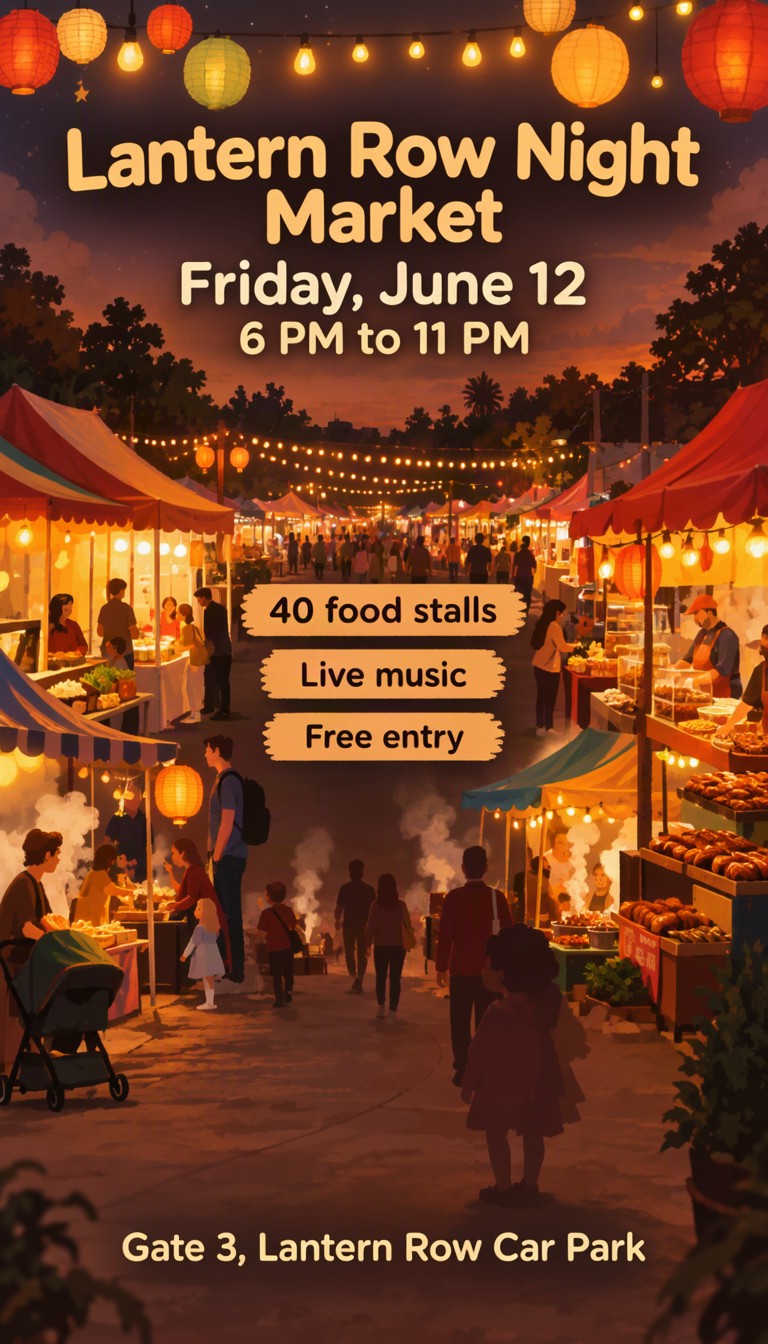
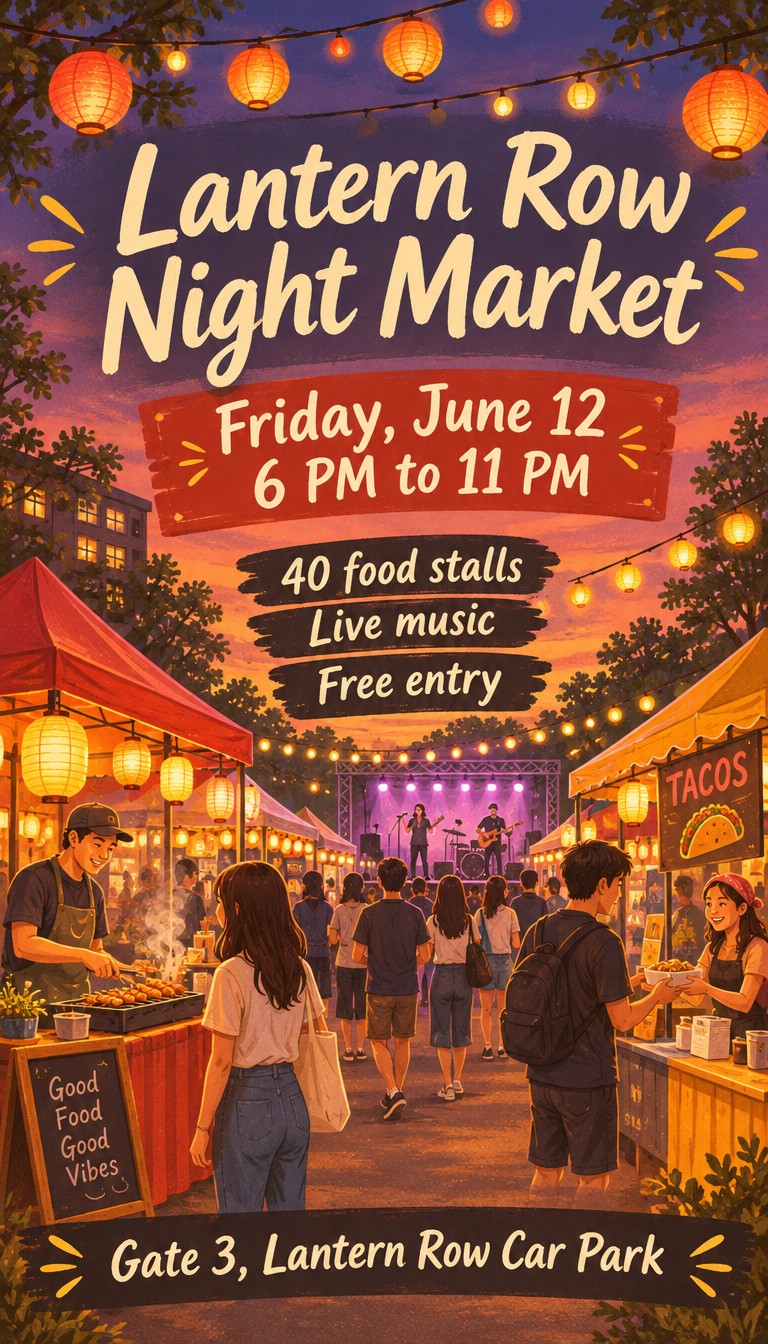
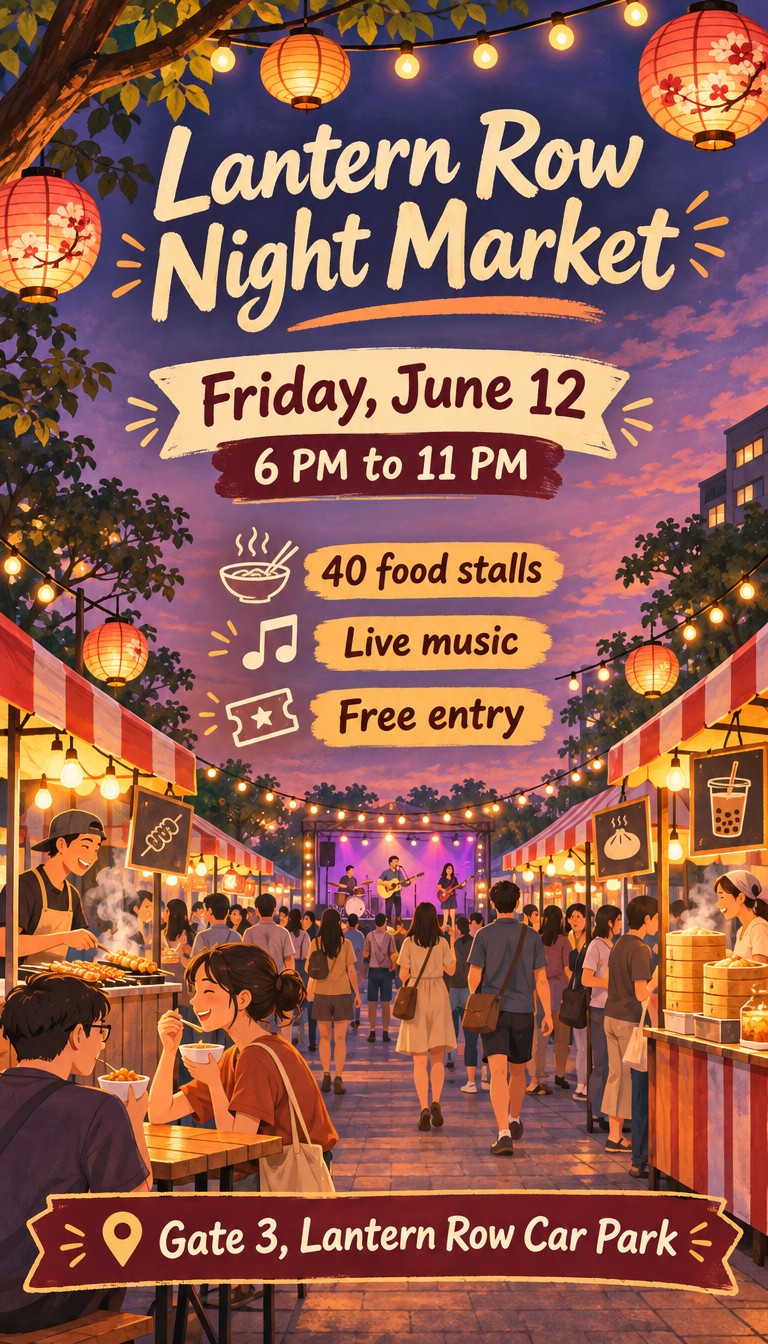
A vertical flyer for a neighborhood night market, warm illustrated style with string lights and food stalls at dusk. Large title: "Lantern Row Night Market". Under it: "Friday, June 12" and "6 PM to 11 PM". In the middle, three short lines: "40 food stalls", "Live music", "Free entry". At the bottom: "Gate 3, Lantern Row Car Park".
Try this prompt with MOSS-ImageAll three spelled everything right. Flare also added two signs nobody asked for, "TACOS" and "Good Food Good Vibes". They read fine, but on a real flyer you would have to remove them. MOSS-Image put a tiny banner of unreadable marks on a stall in the background.
Round 2: a menu
Prompt
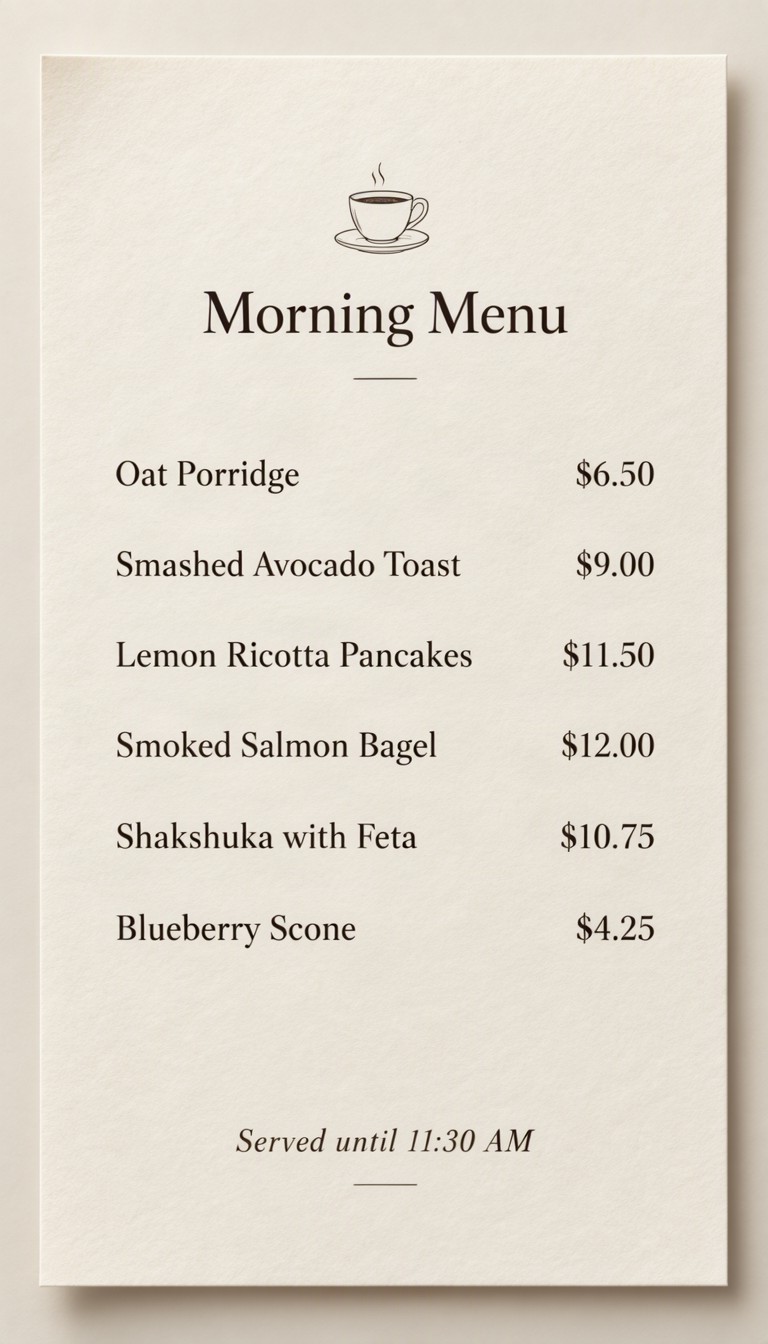
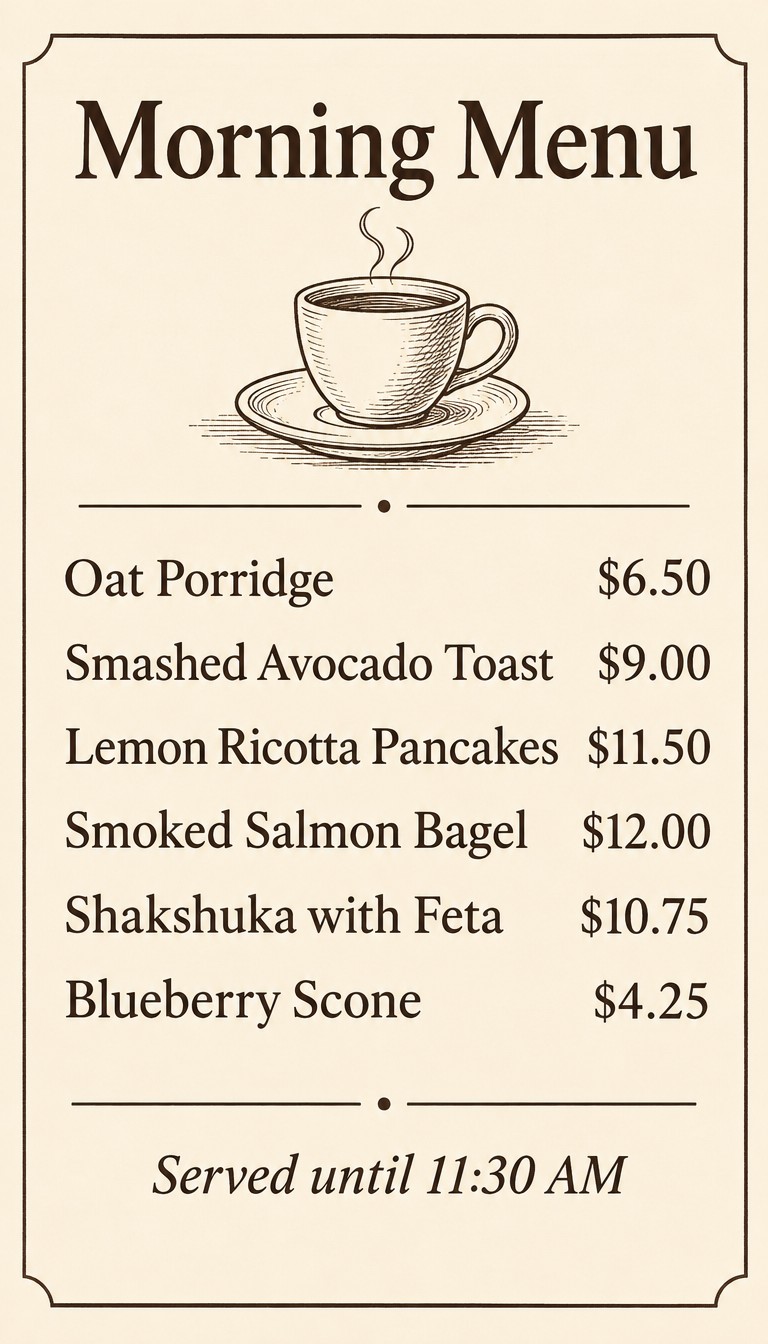
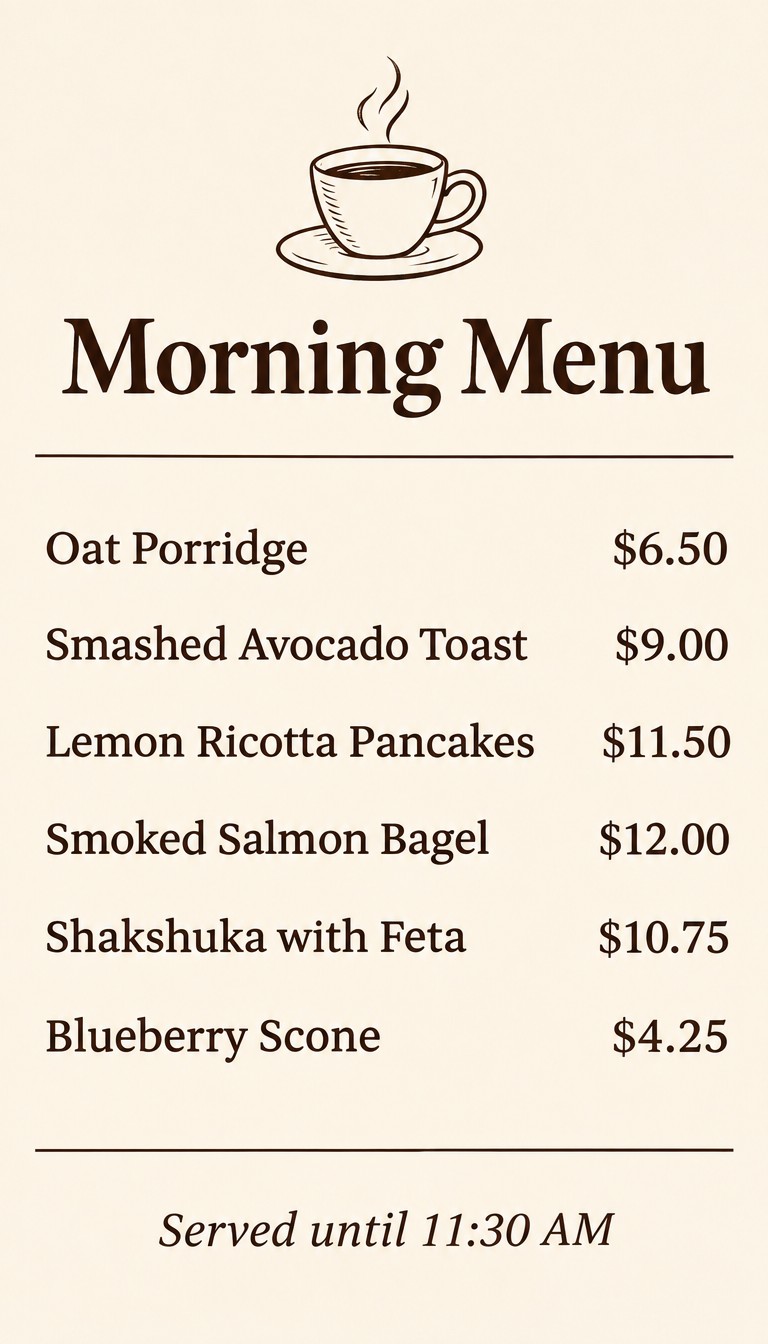
A one-page cafe menu on cream paper with clean, readable typography and a small line drawing of a coffee cup. Heading: "Morning Menu". Then six lines, each a dish and its price: "Oat Porridge $6.50", "Smashed Avocado Toast $9.00", "Lemon Ricotta Pancakes $11.50", "Smoked Salmon Bagel $12.00", "Shakshuka with Feta $10.75", "Blueberry Scone $4.25". Footer: "Served until 11:30 AM".
Try this prompt with MOSS-ImageEvery dish and price is correct on all three. The difference is hierarchy: both GPT models use the page fully, while MOSS-Image leaves more empty paper.
Round 3: a product label
Prompt
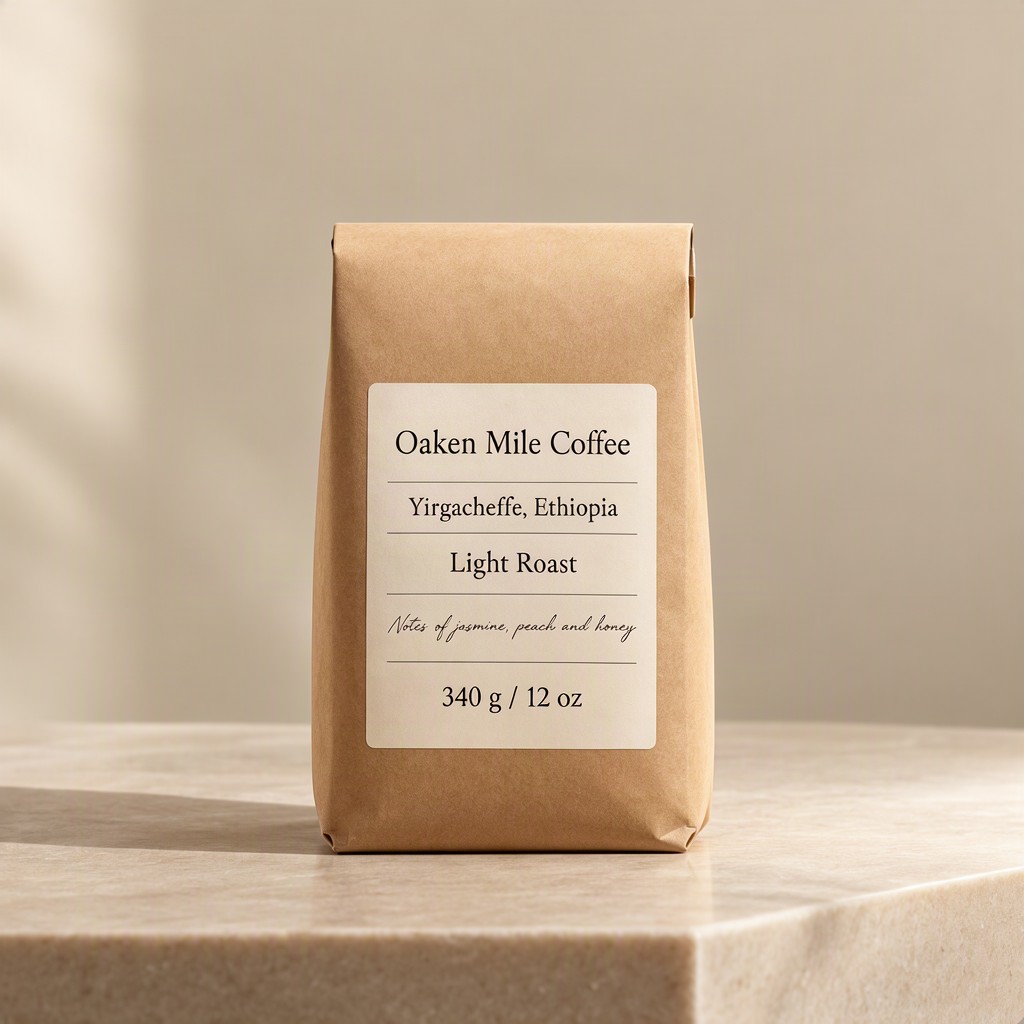
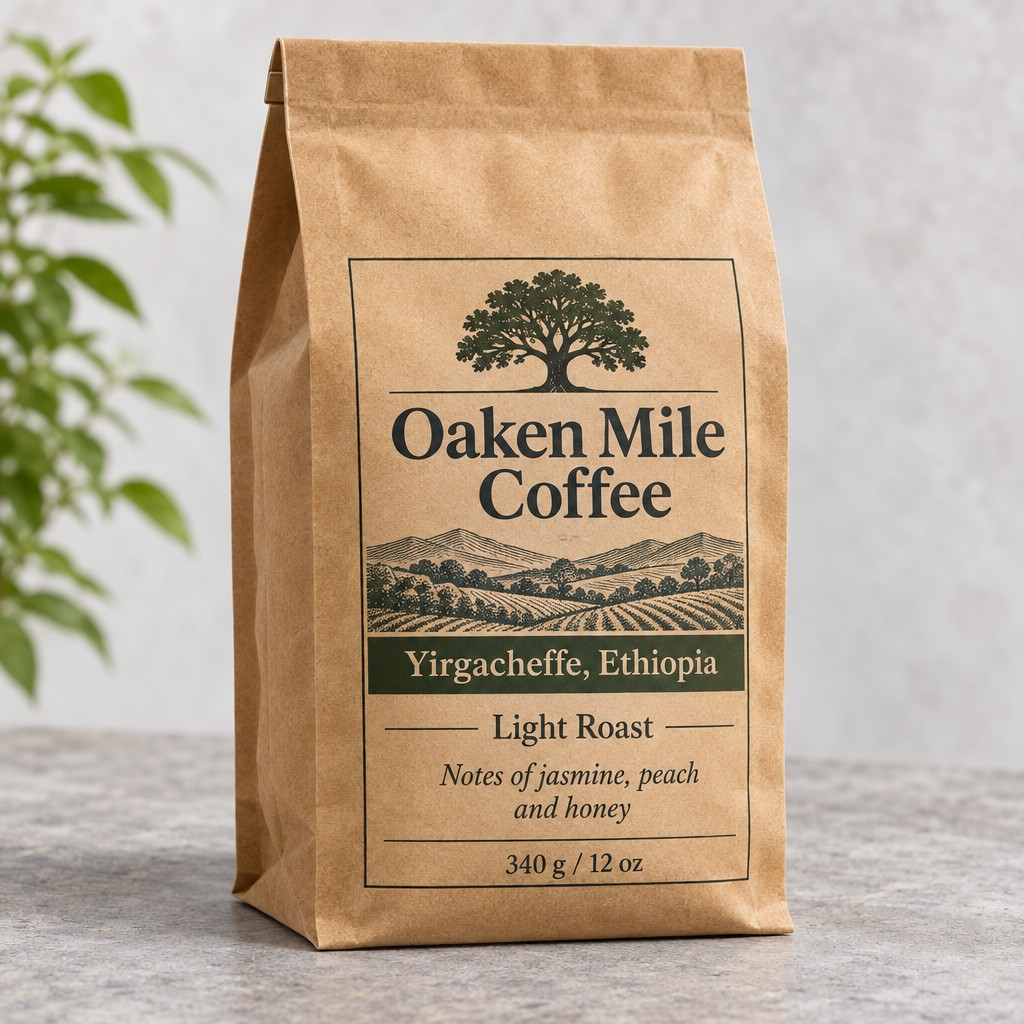
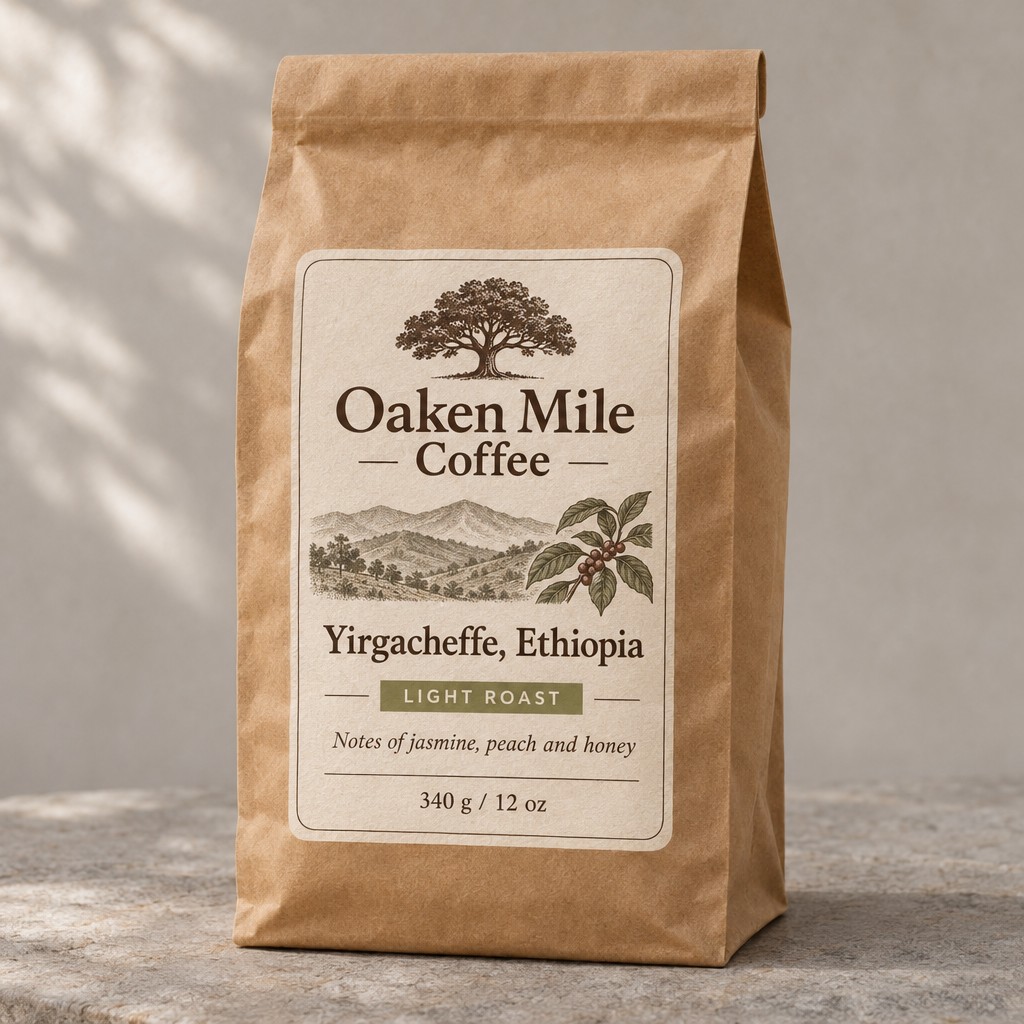
A studio product photo of a matte kraft paper coffee bag standing on a plain stone surface, soft daylight. The printed label reads: "Oaken Mile Coffee", "Yirgacheffe, Ethiopia", "Light Roast", "Notes of jasmine, peach and honey", "340 g / 12 oz".
Try this prompt with MOSS-ImageGPT Image 2.6 designed a real package here, with an oak tree and a landscape we never asked for. Sunburst set "Light Roast" in capitals. MOSS-Image kept to the words, but set the tasting notes in a thin script that is the hardest line to read in this round.
Round 4: a dense agenda
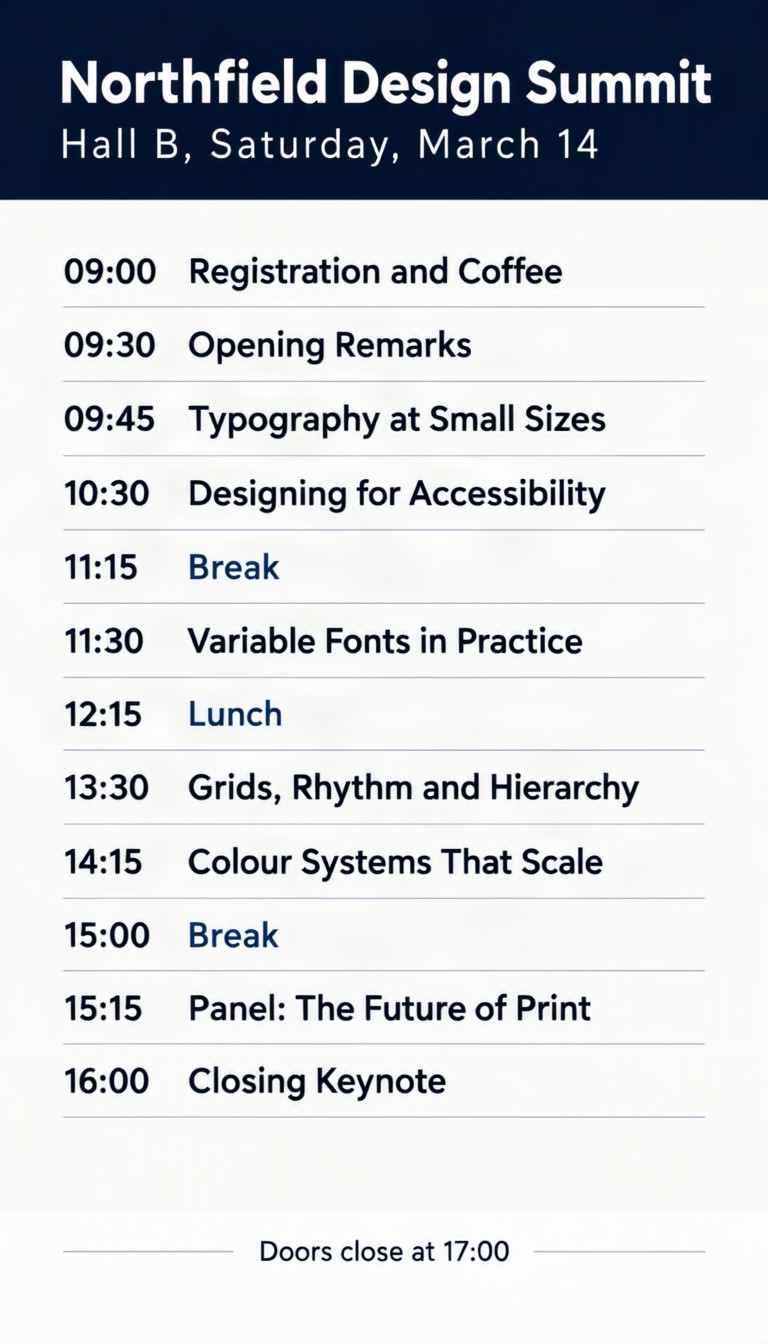
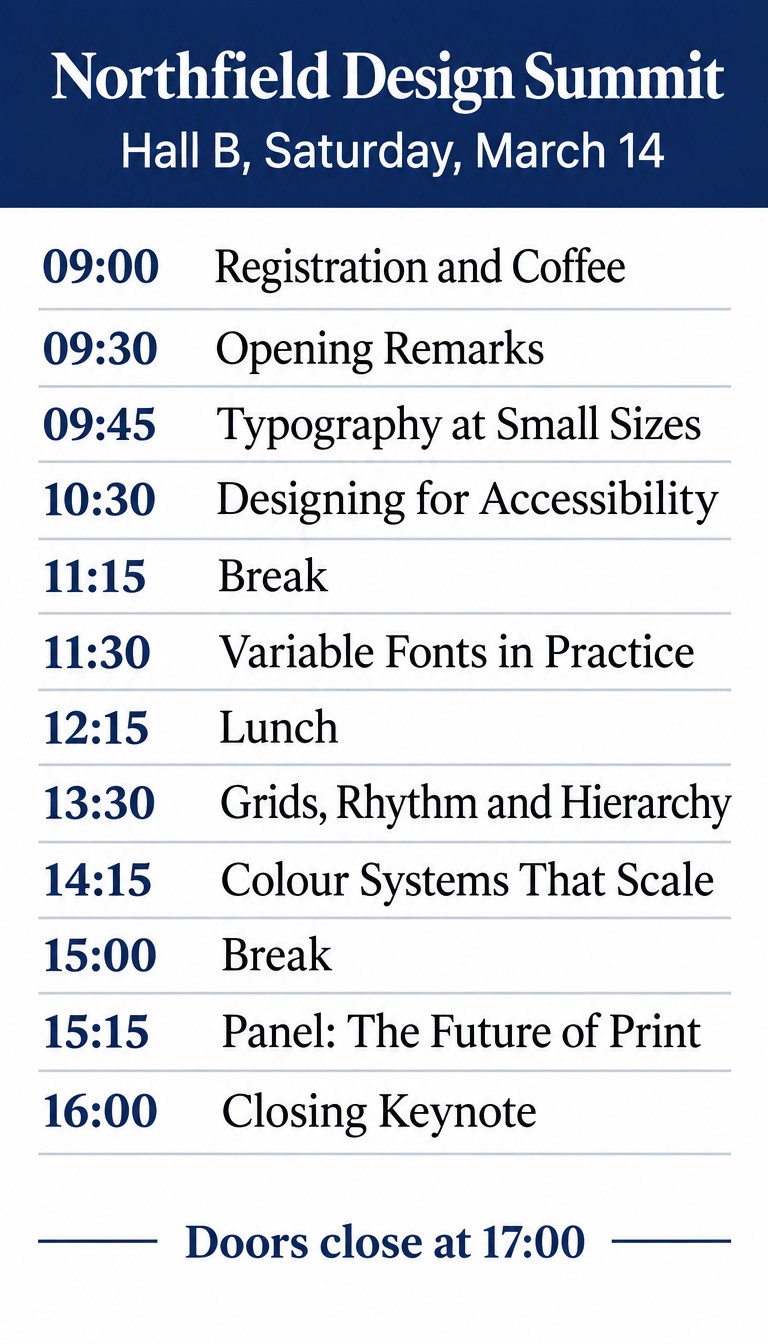
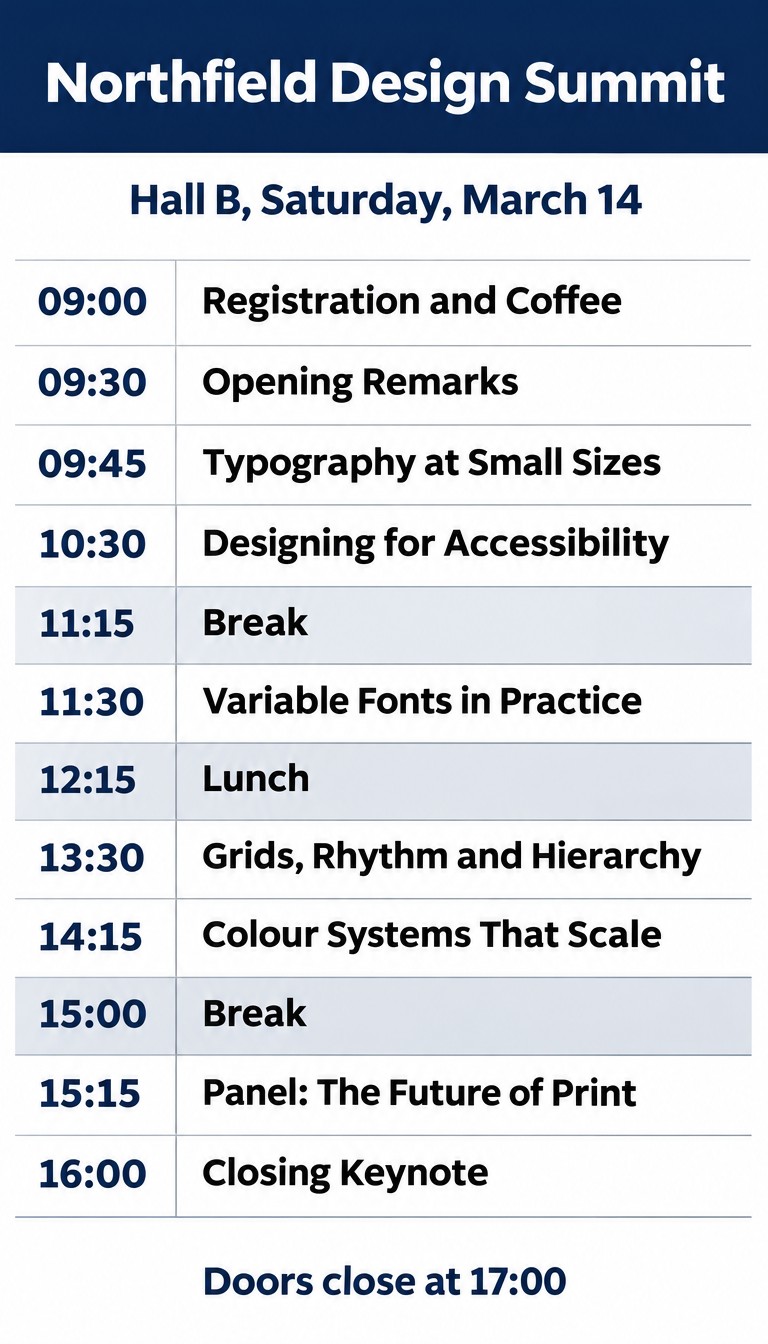
We added this round last, after the others came back with no spelling mistakes, to look for a breaking point. We did not find one.
Prompt
A one-page conference agenda on a white background with a navy header band and clean, readable typography. Heading: "Northfield Design Summit". Subheading: "Hall B, Saturday, March 14". Then twelve rows, each a time and a session: "09:00 Registration and Coffee", "09:30 Opening Remarks", "09:45 Typography at Small Sizes", "10:30 Designing for Accessibility", "11:15 Break", "11:30 Variable Fonts in Practice", "12:15 Lunch", "13:30 Grids, Rhythm and Hierarchy", "14:15 Colour Systems That Scale", "15:00 Break", "15:15 Panel: The Future of Print", "16:00 Closing Keynote". Footer: "Doors close at 17:00".
Try this prompt with MOSS-ImageRound 5: exact layout
Here the models got different inputs. GPT Image 2.6 got position words. MOSS-Image got the same content as a JSON layout, with a box for each element.
Prompt
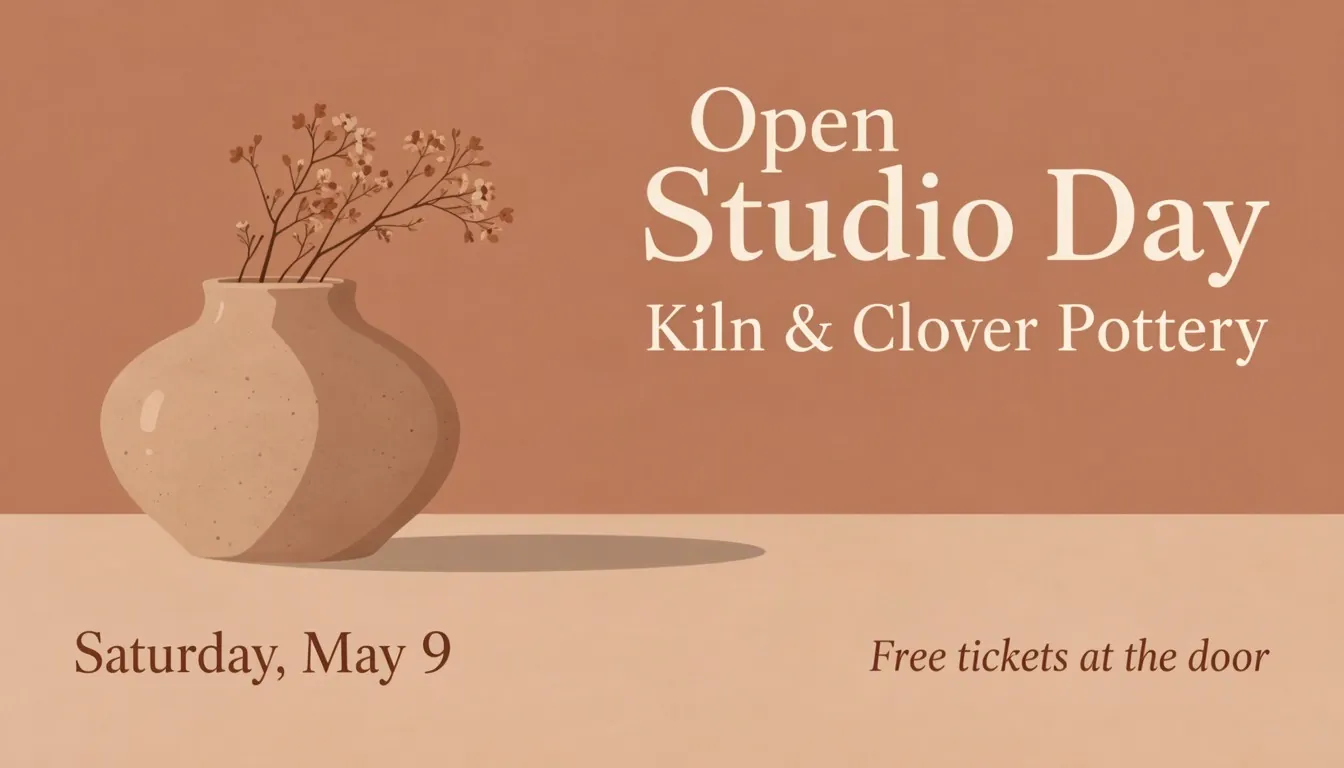
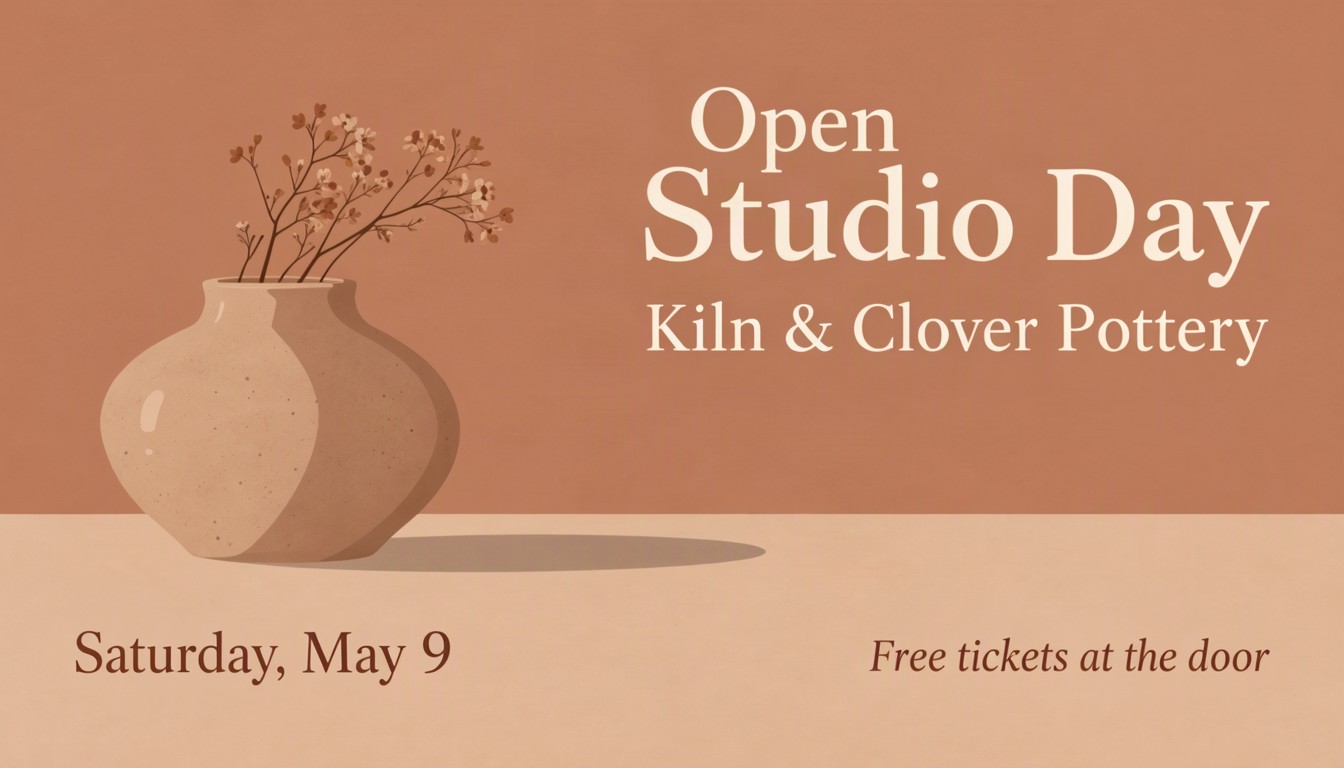
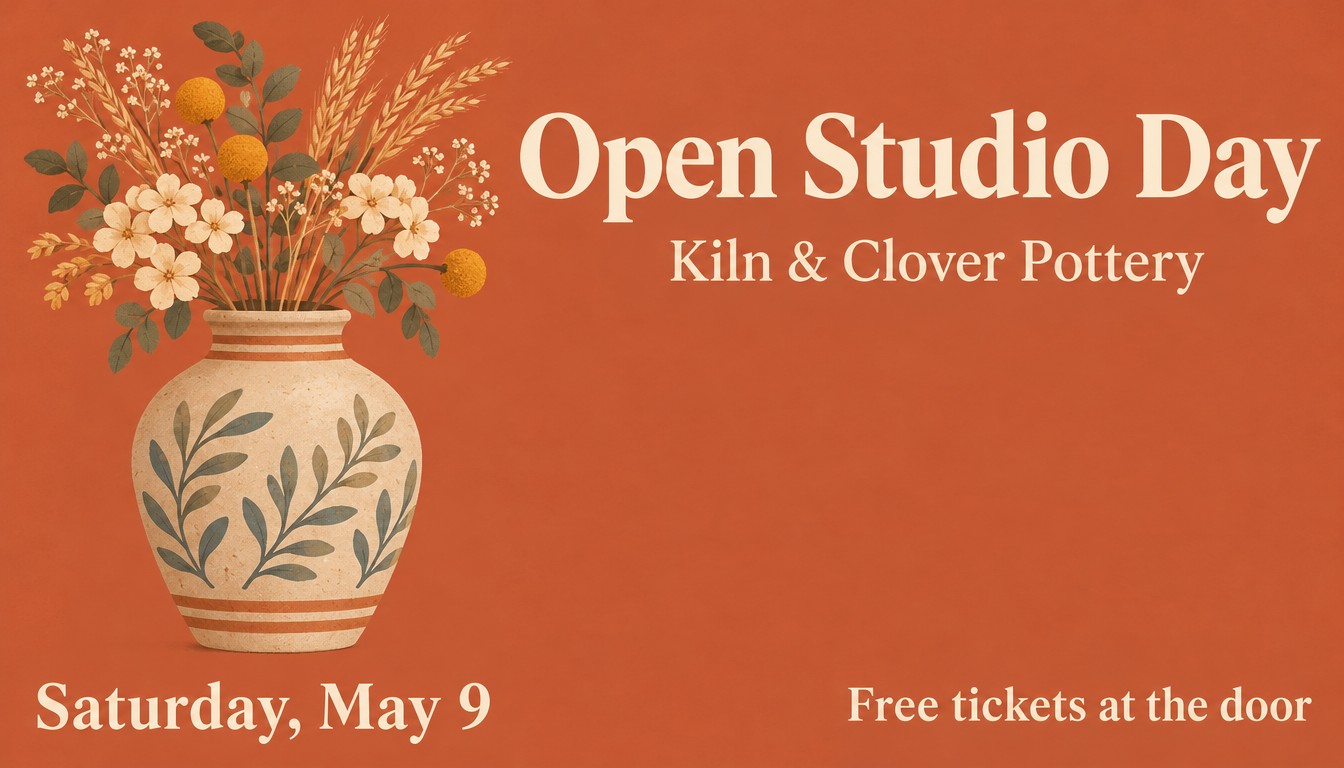
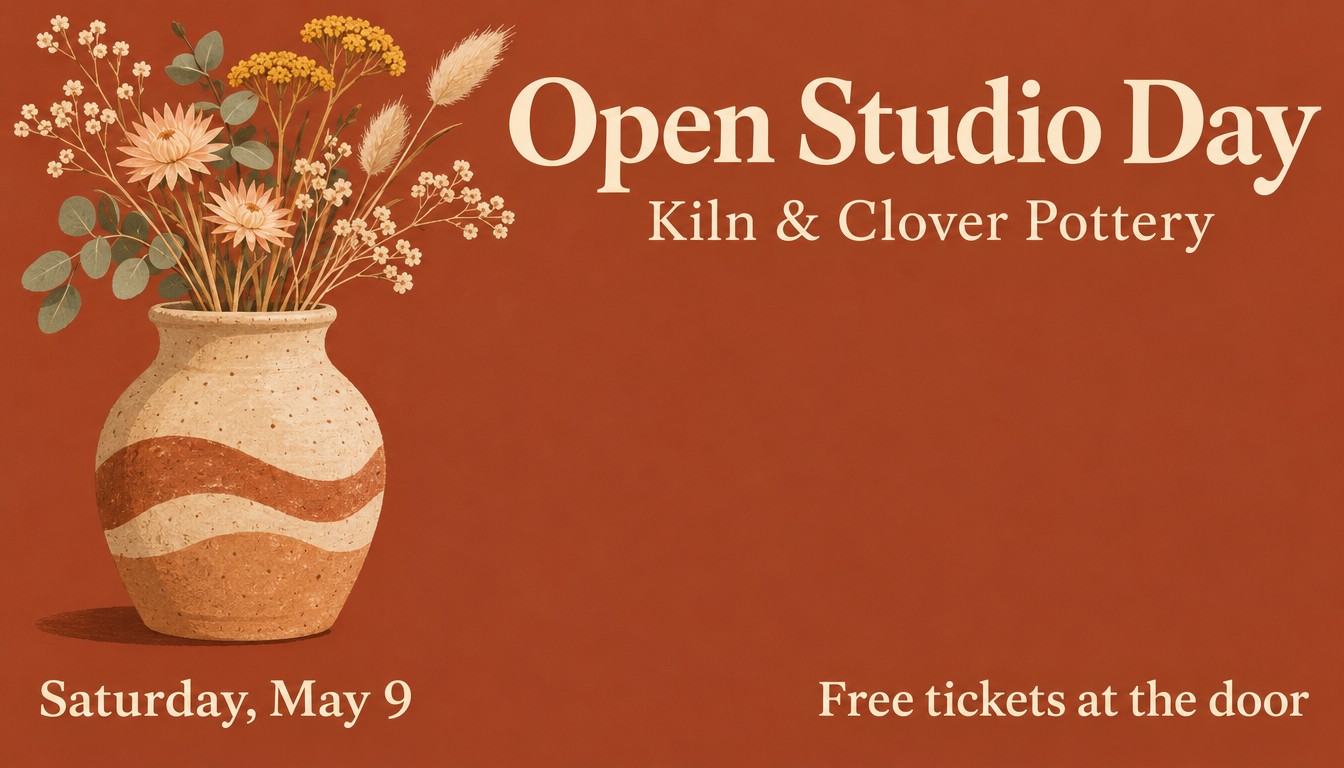
A wide event banner for a pottery studio open day, flat illustrated style, warm terracotta background. A large ceramic vase with dried flowers on the left side, filling the left third from near the top to about three quarters of the way down. In the upper right, a large cream serif title: "Open Studio Day", and right below it the smaller text "Kiln & Clover Pottery". In the bottom left corner: "Saturday, May 9". In the bottom right corner: "Free tickets at the door".
MOSS-Image got the same content as a JSON layout, with a box for each element, instead of position words.
Open the layout editorGPT Image 2.6 followed the words well: every element is in the corner we named. The vase runs past the three quarters we asked for, to about 85% of the height, on both. On MOSS-Image, the vase stops at its box.
That is the real difference. Position words get you close. A box tells the model where to stop. In the layout editor you can drag one box and generate again with the same seed. The same layout and seed reproduce the same image, so you change one thing at a time.
Round 6: a photo with no text
Prompt
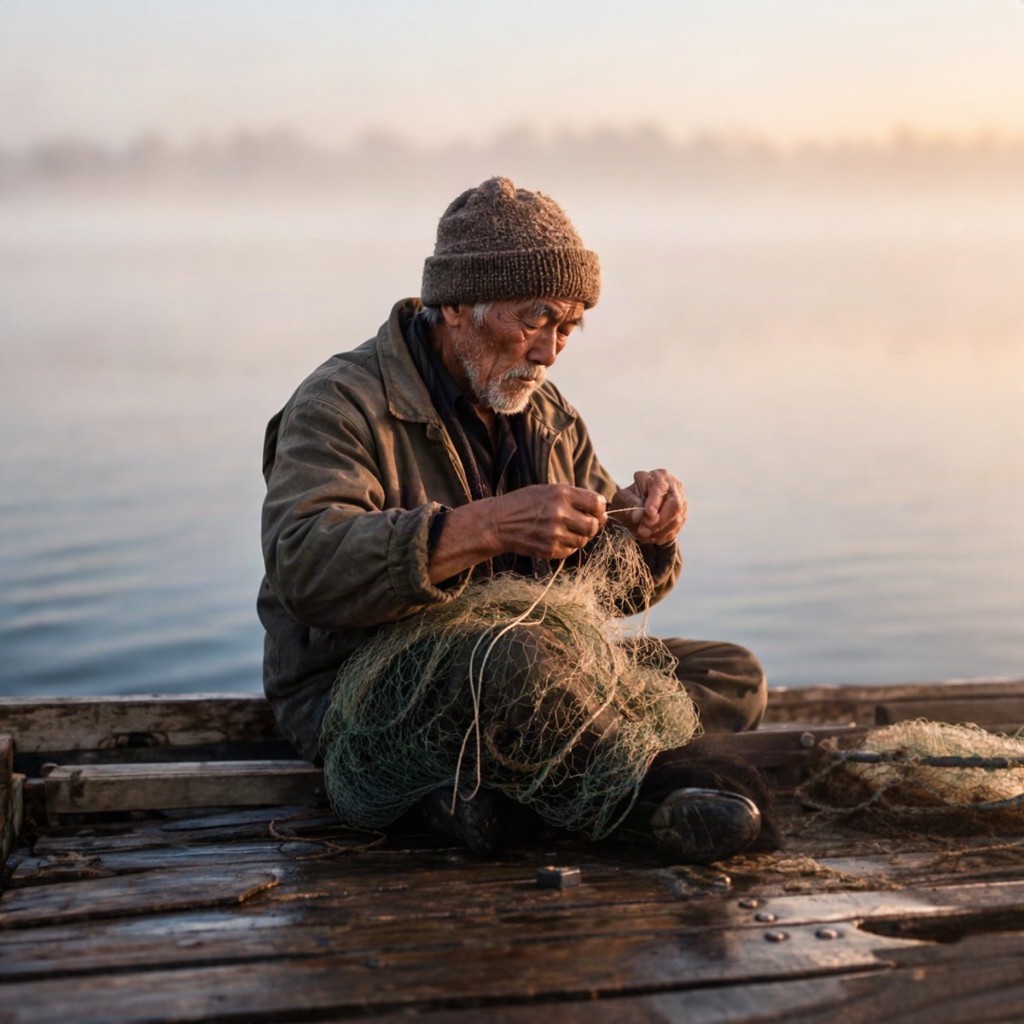
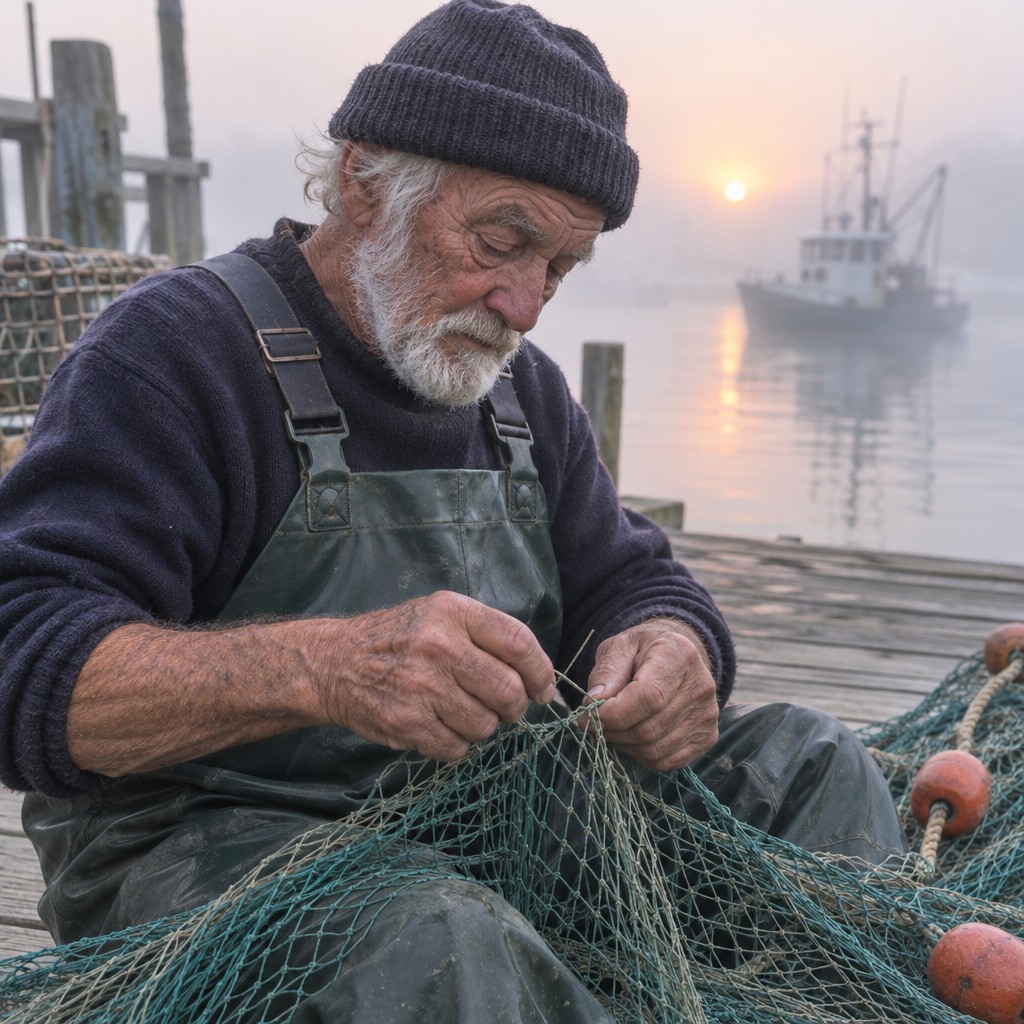
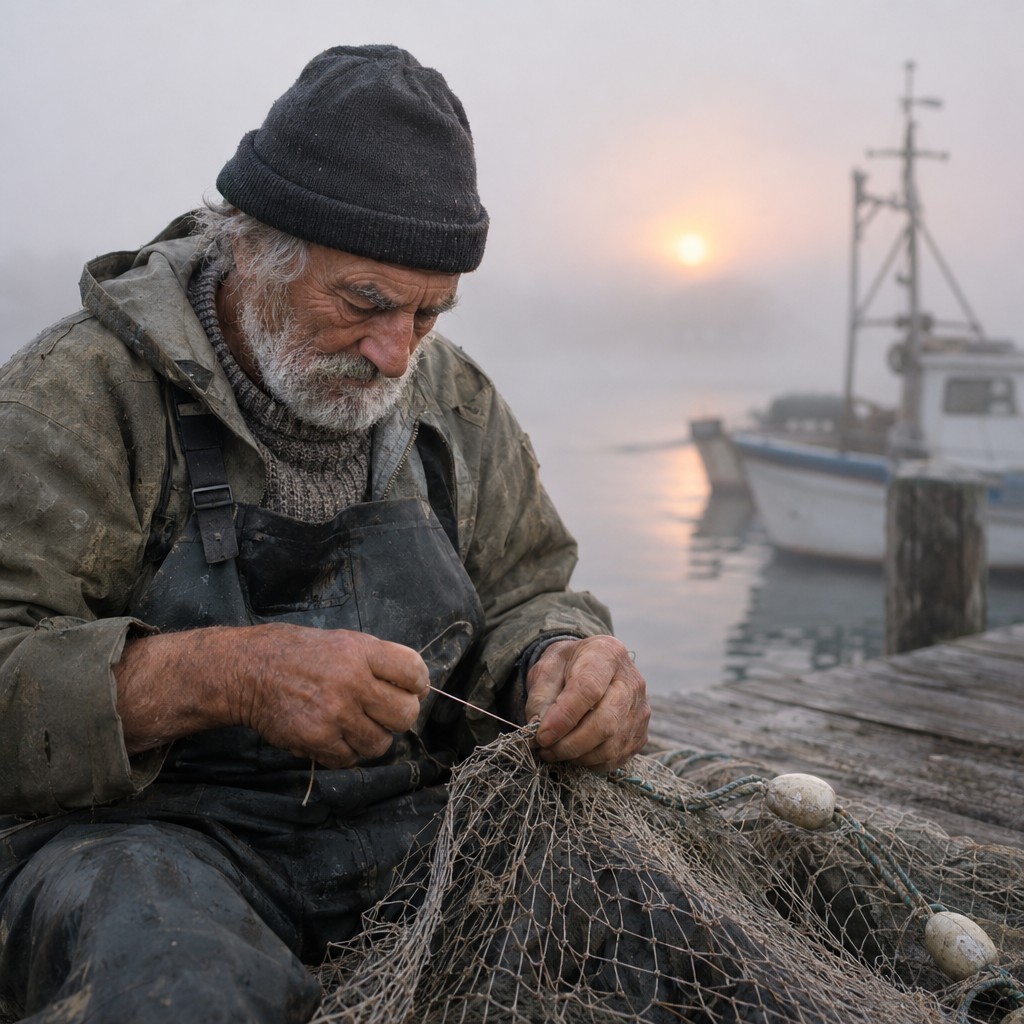
A candid photograph of an elderly fisherman mending a net on a wooden dock at dawn, soft fog over the water, shallow depth of field, natural skin texture.
Try this prompt with MOSS-ImageGPT Image 2.6 wins this one. Both models show sharper knitwear, netting and hands, in a closer, more confident framing. The MOSS-Image version is believable but softer.
The results side by side
| MOSS-Image | GPT Image 2.6 Flare | GPT Image 2.6 Sunburst | |
|---|---|---|---|
| Lines right | 39 of 39 | 39 of 39 | 39 of 39 |
| Unrequested text | Unreadable marks on one small banner | Two signs on the flyer | None |
| Time per image | 12 to 75 s | 12 to 32 s | 35 to 74 s |
| Cost per image on fal | $0.05 | $0.03 to $0.05 | $0.03 to $0.05 |
| Exact boxes | Yes, with a JSON layout | No | No |
| Open weights | Yes, Apache-2.0 | No | No |
| Edits an existing image | Not officially | Yes | Yes |
| GIF and SVG output | No | Yes | Yes |
Times run from submitting the job to its result, including fal's queue, and we checked every 3 seconds. Costs are what fal charged for these sizes, around one megapixel. MOSS-Image is $0.05 per megapixel, rounded up per image.
Flare or Sunburst?
OpenAI lists the same token prices for both: $8 per million image input tokens and $30 per million image output tokens. Flare is the fast one, and OpenAI says it can finish in as little as six seconds. The quickest finish in our test was 12 seconds, or about 8 seconds of processing on fal. Sunburst took about three times longer on average and did not spell anything better in our test. Its appeal is finer work and steadier edits, which we did not test, so start with Flare unless you see a reason not to.
What is new compared with GPT Image 2.5?
OpenAI released 2.6 with three additions: SVG output, animated GIF output and a complexity setting that controls how much the model plans before it renders. Markup-guided edits, where you draw on a transparent layer over your image, are also new, but OpenAI added them to supported 2.5 models on the same day. So markup alone is not a reason to move to 2.6.
OpenAI does not make a specific claim about text accuracy for 2.6. Its image guide says only that higher complexity can help with dense text and complex layouts.
Markup and JSON layouts solve different problems
Both let you say where things go, at different stages:
- Markup works on an image you already have. You draw on top of it, and GPT Image 2.6 changes that area.
- A JSON layout works before the image exists. You describe each box, and MOSS-Image builds the whole image to fit.
Choose markup to fix one area of a finished image. Choose a layout when you are repeating a design and need the title in the same place every time.
Which one should you use?
Use GPT Image 2.6 if you want a finished-looking design from one sentence, you need a GIF or SVG, or you want to edit an existing image. It is also the better choice for photos, going by this test.
Use MOSS-Image if you need elements in exact positions, you want to change one element at a time, you want to run the model yourself or train a LoRA, or you want a design that does only what you asked. To run it locally, start with our ComfyUI guide.
For correct spelling alone, neither gave us a reason to switch.
FAQ
Can I use GPT Image 2.6 on this site?
No. The generator and layout editor here run MOSS-Image. Our photo cards and Christmas photos use other companies' models, listed in our privacy policy, but none of them is GPT Image 2.6. To use it, try ChatGPT, OpenAI's API or a host such as fal.
Is GPT Image 2.6 free?
OpenAI says Images 2.6 is available in ChatGPT on all tiers. API use is paid by the token.
Did GPT Image 2.6 make any spelling mistakes?
Not in our 39 lines. That is a small sample in clean English, so check your own images before you print them. The same goes for MOSS-Image.
Can MOSS-Image make GIFs or SVGs?
Not on this site, and not out of the box. For those formats, GPT Image 2.6 is the simpler choice.
Is MOSS-Image cheaper?
Not on fal, in our test. Running it on your own GPU has no per-image charge, which is the main way to pay less.
Try the same prompt with MOSS-Image
Here is the label prompt from round 3, ready to run.
Try MOSS-Image in your browser
1:1 · Output size: 1024 × 1024 px
Full generator & more controls → MOSS Image AI Generator
Related guides
- MOSS-Image JSON Layout Tutorial: bbox, yxyx and Coordinates — Write MOSS-Image layout prompts by hand: the summary and items fields, yxyx bounding boxes in centered pixel coordinates, a converter, and examples to copy.
- MOSS-Image Prompt Guide: Chinese and English Text in Images — Write MOSS-Image prompts that render clean Chinese and English text: describe the finished image, quote the exact words and control line breaks. With examples to try.
- MOSS-Image Base vs SFT: Which Checkpoint Should You Use? — Short answer: use SFT to make images and Base to train LoRAs. What SFT changes, what the official comparison shows, and how to run each in ComfyUI or Python.
Sources
Author